How to Locate your Shadow GunZ Folder? Before that, open this spoiler to know what is shortcut file
A file shortcut in Microsoft Windows is a small file containing a target URI or GUID to an object, or the name of a target program file that the shortcut represents. The shortcut might additionally specify parameters to be passed to the target program when it is run. Each shortcut can have its own icon. Shortcuts are very commonly placed on a desktop, in an application launcher panel such as the Windows Start menu, or in the main menu of a desktop environment.
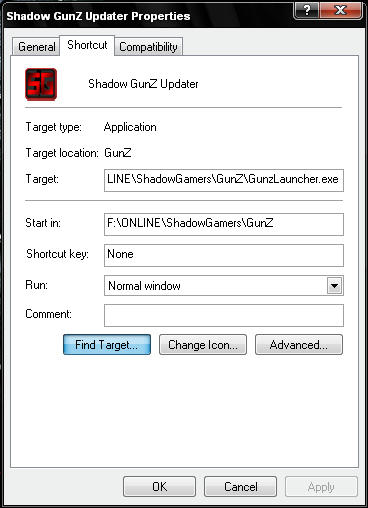
1. Right click the shortcut file named Shadow GunZ or Shadow GunZ Updater from your Desktop or on where you put 2. Hit Properties
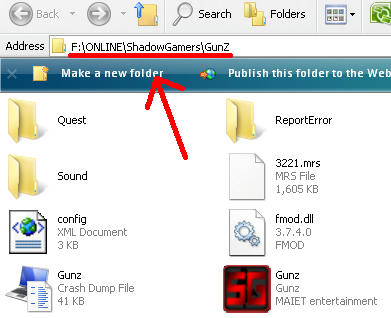
3. Click the button Find Target (or Open File Location - for W7 & WVista)
4. You are done, you have found your Shadow Gunz Folder (pls. memorize the file location for more information & learning)